
Generative AI is one of those buzzwords you hear everywhere — ChatGPT, AI art, deepfakes, “AI writing my emails”… but the idea behind it is actually pretty simple.
In short: generative AI is a type of artificial intelligence that creates new content — and it’s built on the same foundations you’ll see in our Machine Learning Explained guide.
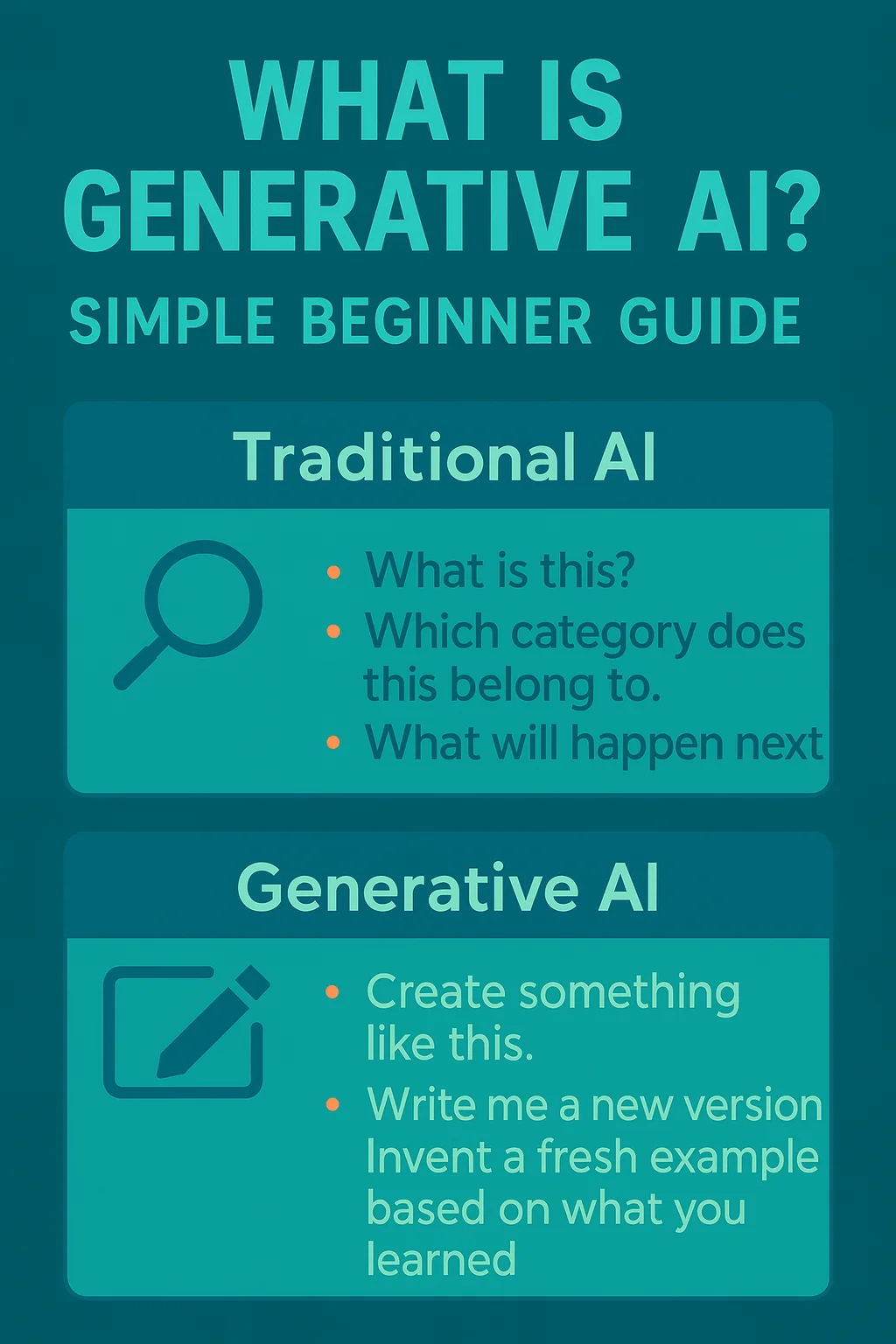
That content can be text, images, audio, video, code, or even 3D designs. Instead of just analyzing what already exists, generative AI produces something new based on patterns it learned from data.
In this beginner guide, we’ll break it down in plain English:
- what generative AI is
- how it works (step-by-step)
- the main model types behind it
- real examples you’ve probably already seen
- beginner-friendly tools you can try
- and the risks to keep in mind so you use it safely
If you’re brand new to AI, don’t worry — you don’t need a technical background to follow along.
What is generative AI?
Generative AI (sometimes searched as “generative AI explained in simple terms”) is AI that produces brand-new content that looks like it was made by a human.
It learns from huge amounts of existing examples (text, images, sound, and more), finds patterns in that data, and then uses those patterns to create something new when you give it a prompt.
A simple way to think about it:
- Traditional AI is mostly about recognizing or predicting.
Example: spotting spam emails, identifying a face in a photo, predicting tomorrow’s weather.
- Generative AI is about creating.
Example: writing a paragraph, making an image, composing music, generating a video scene, or coding a function.
So instead of saying:
“This image contains a dog.”
Generative AI can say:
“Here’s a brand-new image of a dog wearing sunglasses on a skateboard.”
Generative AI vs. traditional AI (quick contrast)
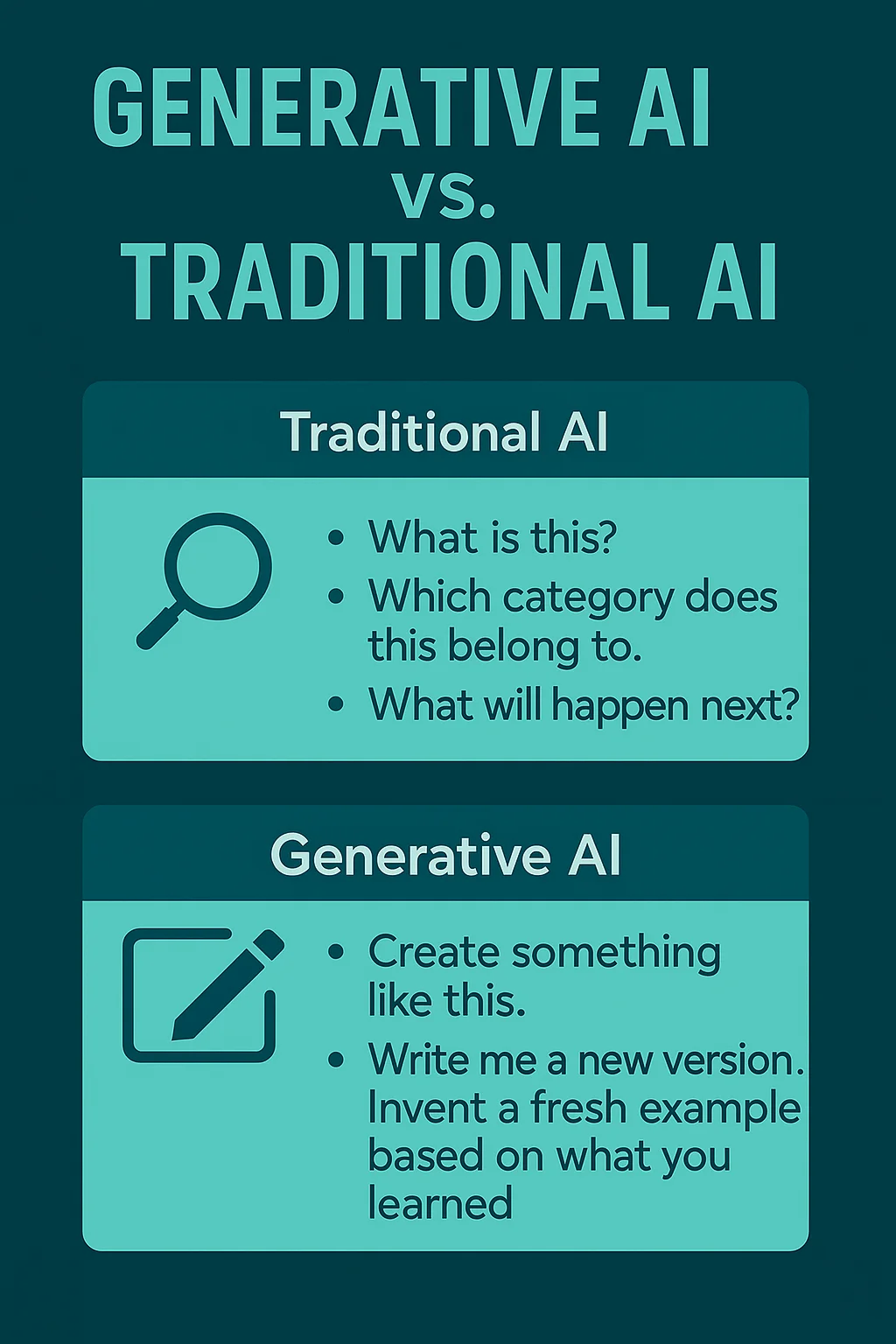
Traditional AI usually answers questions like:
- “What is this?”
- “Which category does this belong to?”
- “What will happen next?”
Generative AI answers:
- “Create something like this.”
- “Write me a new version.”
- “Invent a fresh example based on what you learned.”
That shift — from predicting to creating — is why generative AI feels so different, and why it’s changing so many industries.
What kinds of content can generative AI create?
Generative AI can generate:
- Text: emails, blog posts, summaries, stories, scripts
- Images: illustrations, product shots, art, photo edits
- Audio: voiceovers, music, sound effects
- Video: short clips, animations, edits
- Code: functions, apps, debugging help
- Designs: logos, layouts, 3D objects
You’ll see real examples of each in the next sections.
How does generative AI work?
Even though generative AI can feel like magic, the basic process is straightforward. Most models follow the same core loop:
- They learn from tons of examples.
- They learn patterns in that data.
- You give a prompt.
- They generate a new output based on what they learned.
Let’s walk through it step by step.
Step 1 — Training on huge data
Generative AI models are trained on massive datasets. That might include:
- books, articles, websites (for text models)
- millions of images (for image models)
- audio clips, music, voices (for sound models)
- videos, code repositories, and more
During training, the model isn’t memorizing every example.
Instead, it’s learning the “rules of the game” — how language usually flows, how images are structured, or how code is written.
Step 2 — Learning patterns & probabilities
After seeing enough data, the model starts recognizing patterns. For example:
- In text, it learns which words usually come next.
- In images, it learns shapes, styles, lighting, and how objects relate.
- In music, it learns rhythm, tone, and structure.
A simple way to think about it:
The model gets really good at predicting what should come next.
That prediction skill is the engine of generative AI. It’s what lets the model produce something new that still feels natural to humans.
That one idea — predicting what comes next — is the core of modern neural networks and deep learning, which we break down in Deep Learning 101.
Step 3 — A prompt becomes the input
After training, the model is ready to use.
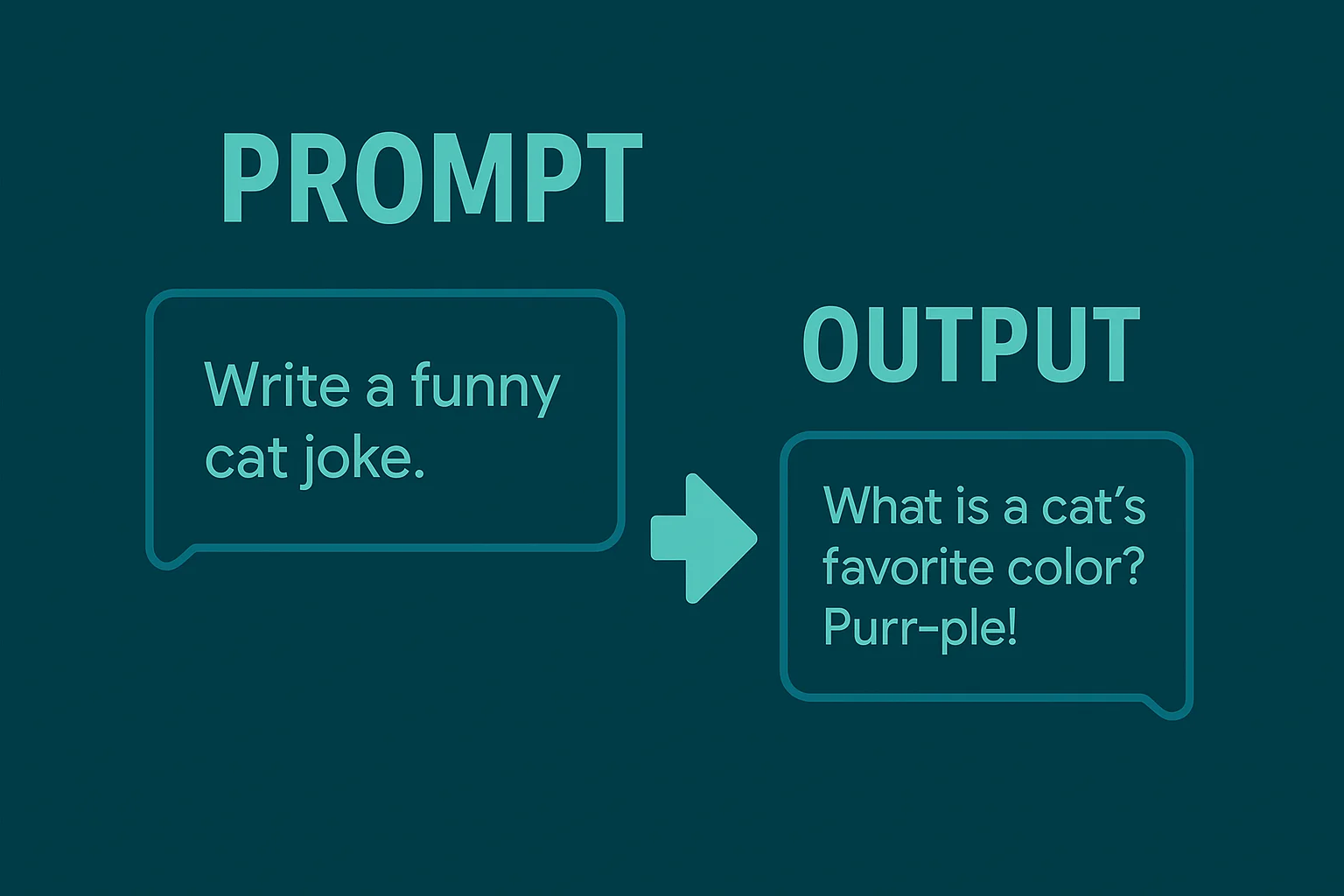
You give it a prompt, which is just your instruction or starting point. Examples:
- “Explain generative AI in 3 sentences.”
- “Create an image of a futuristic city at sunset.”
- “Write a friendly email asking for a meeting.”
- “Generate a Python function that sorts a list.”
The prompt tells the model:
- what kind of output you want
- the style or format
- any constraints you care about
Step 4 — The model generates a new output
Now the model uses everything it learned to generate a response.
It doesn’t copy a single existing example.
It creates a new one by predicting what should come next, over and over, until the output is complete.
So if you prompt:
“Write a short story about a dragon who hates flying.”
The model generates a fresh story that fits the patterns it learned from many stories — but is still new.
That’s why generative AI can feel creative: it’s remixing what it learned into something original-looking.
The simplest summary
Generative AI works like this:
Training data → pattern learning → prompt → new output.
Once you understand that flow, everything else (LLMs, diffusion models, AI tools) becomes much easier to follow.
Types of generative AI models
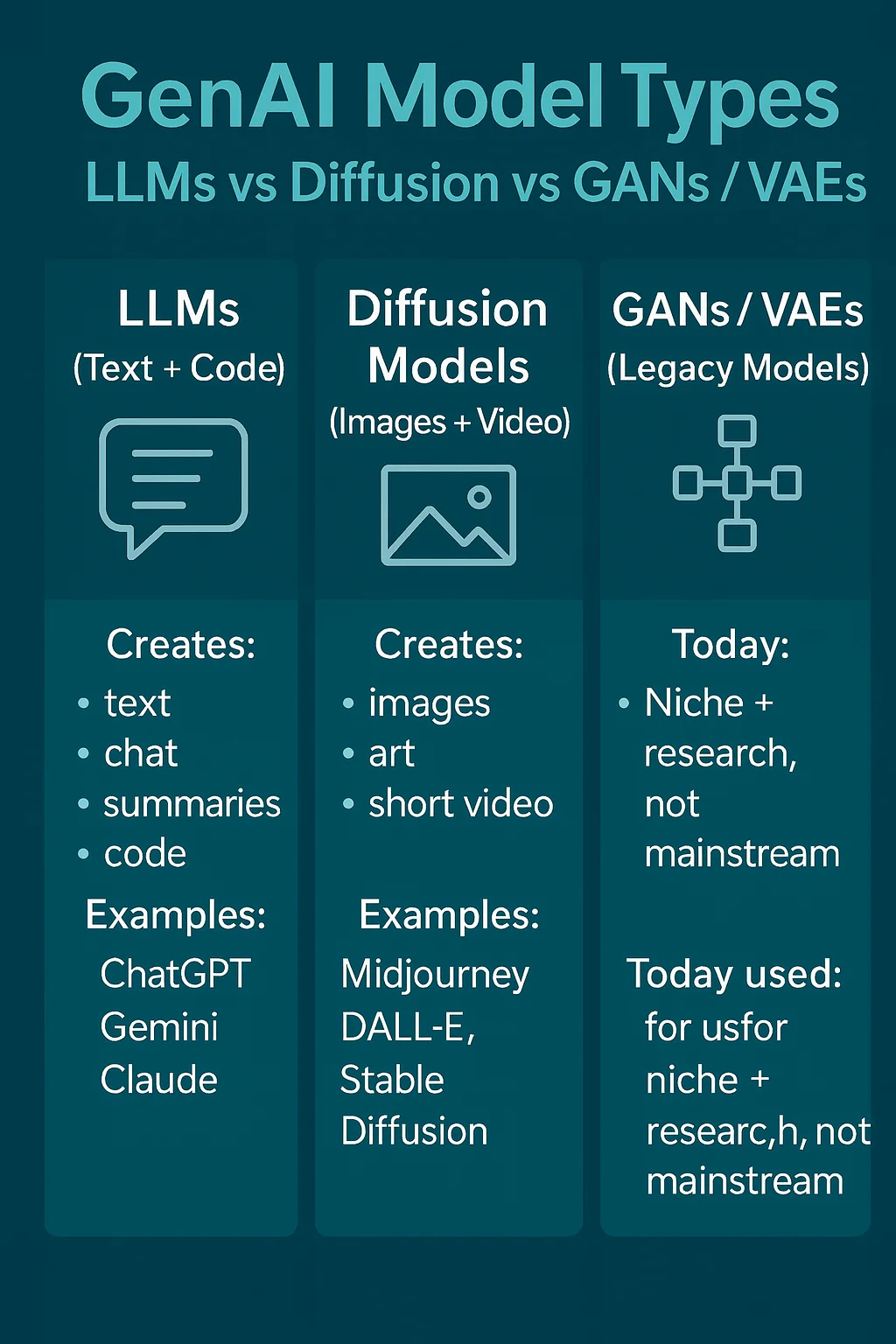
Generative AI comes in a few main “flavors.” Each type is built for creating different kinds of content — like text, images, or audio.
Don’t worry about memorizing names. Just focus on what each one creates best.
Large Language Models (LLMs)
LLMs are generative AI models that create and understand text. They’re the reason tools like ChatGPT, Gemini, and Copilot can write emails, answer questions, summarize articles, and even help with coding.
LLMs are trained on huge amounts of written language, so they learn:
- grammar and sentence structure
- facts and common knowledge
- writing styles and tones
- how conversations usually flow
When you type a prompt, an LLM predicts the next best word… then the next… then the next — until it builds a full response.
Best at creating:
- text (articles, emails, stories, summaries)
- code (functions, scripts, debugging help)
- structured outputs (tables, lists, plans)
Examples: ChatGPT, Gemini, Claude, Copilot
If you want the simple foundation behind why this works, check out Deep Learning 101 — it explains neural networks in beginner terms.
Diffusion models (images + video)
Diffusion models are generative AI models that create images and video. These power tools include Midjourney, DALL-E, Stable Diffusion, Runway, and Pika.
The simplest way to understand diffusion:
- The model learns what real images look like.
- Then it learns how to “reverse noise.”
- At generation time, it starts with random noise and slowly turns that noise into a clean image that matches your prompt.
So if you prompt:
“A photorealistic golden retriever wearing a red hoodie in Times Square.”
A diffusion model gradually “sculpts” that image out of noise.
Best at creating:
- AI art and illustrations
- photorealistic images
- video clips / animations
- style transfers and edits
These image models are part of the same bigger field you’ll see in computer vision in AI, where AI learns to understand and generate visuals.
GANs and VAEs (quick legacy primer)
Before diffusion and modern LLMs took over, two older model types were very popular:
GANs (Generative Adversarial Networks)
GANs work like a competition between two AIs:
- Generator: tries to create fake content (like an image)
- Discriminator: tries to detect if it’s real or fake
Over time, the generator gets so good that the discriminator can’t tell the difference — and you get realistic outputs.
GANs were a big step forward for:
- early AI image generation
- deepfake-style media
- synthetic data
VAEs (Variational Autoencoders)
VAEs learn a compressed “map” of data, then generate new outputs by sampling from that map.
They’re used when you want:
- smooth variations of content
- controlled generation
- stable, predictable outputs
Best at creating:
- simpler image generation
- data augmentation
- controlled/structured variation
Bottom line:
GANs and VAEs still matter, but today LLMs dominate text and diffusion dominates images/video.
What can generative AI do? (Real examples)
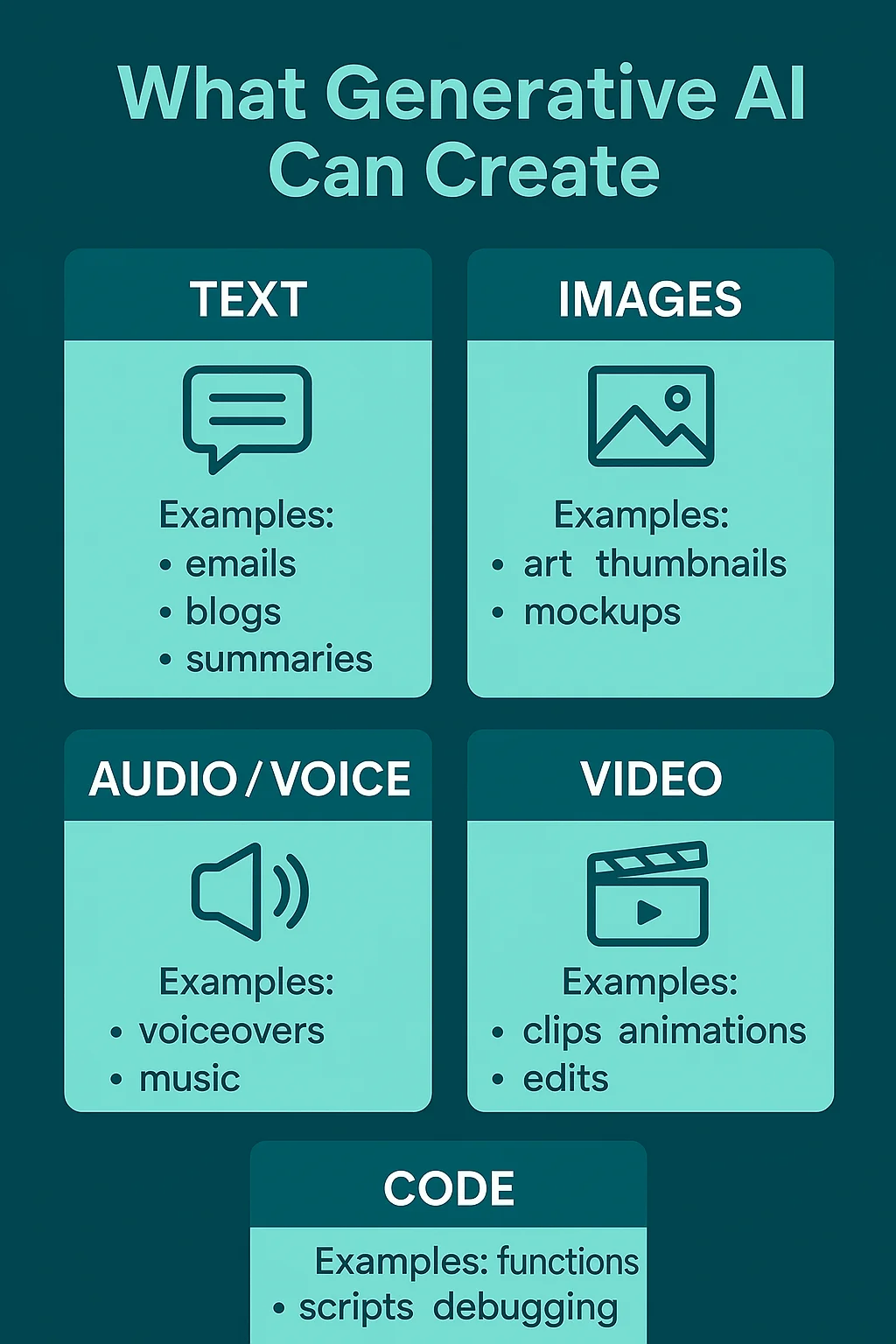
Generative AI can create a surprising range of things. If you’ve ever seen AI write a sentence, generate an image, or clone a voice — you’ve already seen it in action.
Here are the most common kinds of content it creates.
1) Text generation
Generative AI can write:
- emails and replies
- blog posts and outlines
- summaries of long documents
- social captions
- stories, scripts, and marketing copy
- translations and rewrites
Example prompt:
“Write a friendly 5-sentence email asking for a project update.”
Output:
A polished email in seconds, with a tone you can adjust.
2) Image generation
Generative AI can generate:
- illustrations and digital art
- product mockups
- photorealistic images
- logos and thumbnails
- style versions of existing images (cartoon, anime, painterly, etc.)
Example prompt:
“Create a minimalist logo of a rocket made of circuit lines.”
Output:
Multiple logo ideas instantly, in different styles.
3) Audio and voice generation
Generative AI can generate:
- voiceovers for videos
- music and beats
- sound effects
- cloned voices (with permission)
- audiobook-style narration
Example prompt:
“Generate a calm, professional voiceover for a 30-second ad.”
Output:
A usable voice track without hiring a voice actor.
4) Video generation
Generative AI can generate:
- short video clips
- animations
- AI-enhanced edits
- talking-head avatars
- background scenes for content
Example prompt:
“Create a 6-second clip of a snowy street at night in cinematic style.”
Output:
A brand-new video scene, no filming needed.
5) Code generation
Generative AI can help:
- write small functions
- generate full scripts
- explain code line-by-line
- debug errors
- translate code between languages
Example prompt:
“Write a Python function that removes duplicates from a list.”
Output:
Working code plus an explanation of how it works.
The big idea
Generative AI isn’t limited to one medium. It’s a creation engine for anything that follows patterns — language, images, sound, video, or code.
Popular generative AI tools beginners use
There are a lot of generative AI tools out there, but you don’t need to try everything. As a beginner, it helps to think in categories — because different tools are best at different kinds of content.
Here are the main types of tools people use most in 2025.
Text + “all-purpose” assistants (best place to start)
Popular examples:
- ChatGPT
- Google Gemini
- Claude
- Grok (X / Twitter)
Use these for: emails, summaries, blog outlines, study help, planning, and idea generation.
Coding assistants
Popular examples:
- GitHub Copilot
- ChatGPT / Gemini / Claude
Use these for writing functions, fixing bugs, and learning programming more quickly.
Image generators
Popular examples:
- Midjourney
- DALL-E
- Stable Diffusion
Use these for: thumbnails, illustrations, product mockups, ads, creative art.
Video generators
Popular examples:
- Runway
- Pika / Veo-powered tools
- Synthesia / HeyGen
Use these for: short marketing clips, TikToks/Reels, explainers, quick prototypes.
Voice + audio tools
Popular examples:
- ElevenLabs-style voice generators
- Music/sound GenAI suites
Use these for: voiceovers, podcasts, ads, music drafts, sound design.
The beginner shortcut
If you’re just starting, here’s the easiest path:
- Pick one text assistant first (ChatGPT or Gemini).
- Use it daily for small tasks.
- Branch into images or video once prompts feel natural.
You’ll learn faster by going deep on one tool than shallow on ten.
Use cases by industry
Generative AI isn’t just a fun toy — it’s already being used in real jobs every day. The reason is simple: any industry that works with content, communication, or patterns can benefit from GenAI.
If a job involves writing, designing, communicating, or creating variations, GenAI can probably help.
Here are the biggest ways it shows up across fields.
Marketing & content
Common uses:
- writing ad copy and social captions
- brainstorming campaign ideas
- generating blog outlines and first drafts
- creating images for thumbnails and ads
- repurposing long content into short posts
Why it helps: it speeds up first drafts and boosts creative output.
Software & development
Common uses:
- generating functions and scripts
- debugging errors
- explaining code line-by-line
- converting code between languages
- writing documentation and comments
Why it helps: it saves time and makes learning faster.
Education & learning
Common uses:
- explaining complex topics simply
- creating study guides and flashcards
- generating practice quizzes
- helping write essays (with supervision)
- translating or simplifying reading material
Why it helps: it makes learning more personalized and accessible.
Design, media & creative work
Common uses:
- concept art and moodboards
- logo and brand variations
- video/storyboard drafts
- voiceovers and music sketches
- helping with layout or UI ideas
Why it helps: it lets creators prototype 10 ideas instead of 1.
Customer support & business operations
Common uses:
- chatbots that answer customer questions
- summarizing support tickets
- drafting replies for human agents
- creating internal knowledge-base content
- generating reports from raw notes
Why it helps: it reduces workload and speeds up response times.
Healthcare & finance (with extra caution)
Common uses:
- summarizing notes and paperwork
- generating patient/client communication drafts
- assisting research and data review
- automating routine documentation
Important note:
In high-stakes fields like medicine or money, GenAI outputs must be checked by trained professionals. It can help with speed, but it shouldn’t be the final decision-maker.
The takeaway
Generative AI is useful anywhere people need to:
- write
- design
- explain
- communicate
- or create variations of something
Limitations & risks beginners should know
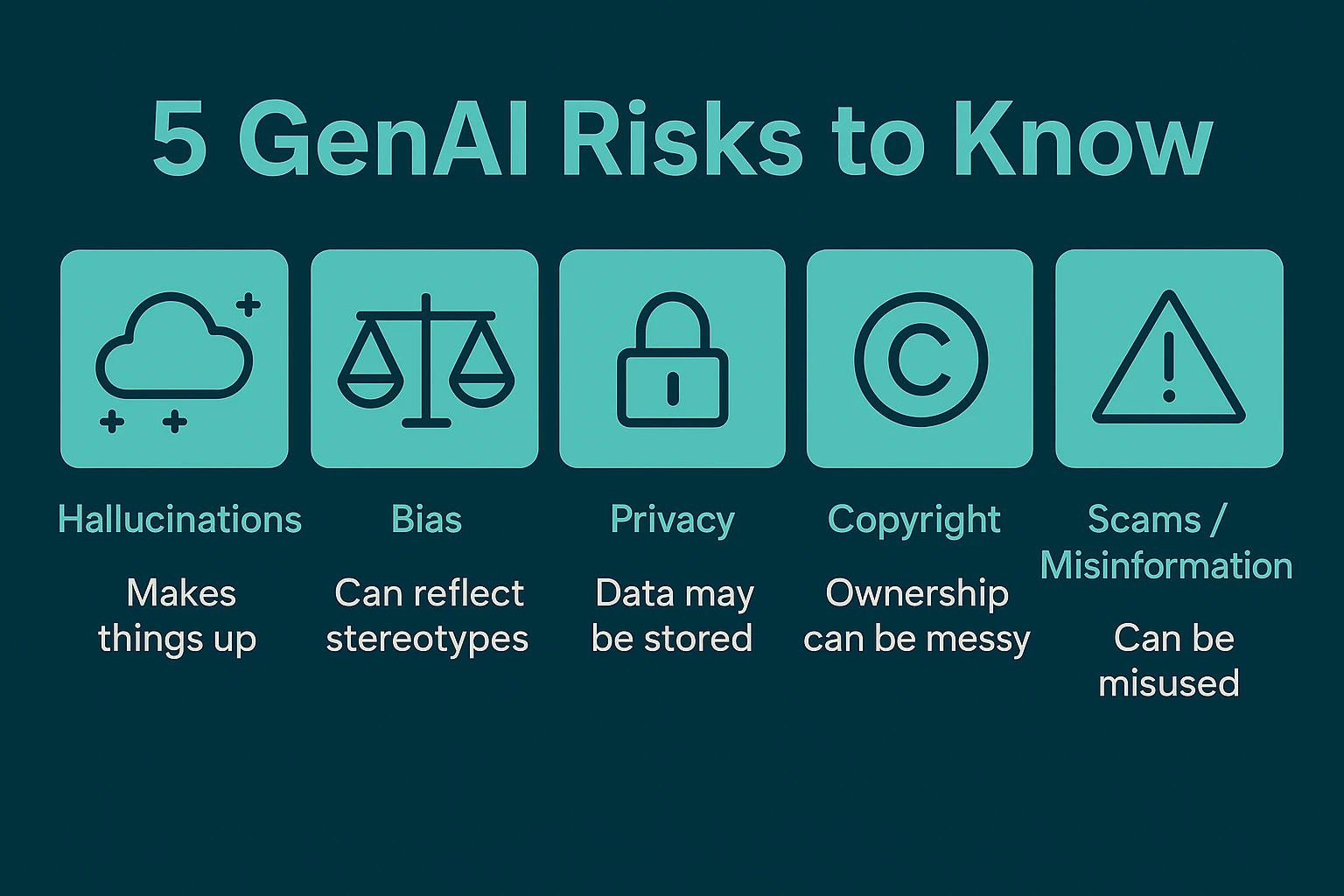
Generative AI is powerful, but not perfect. Understanding its limits helps you get better results — and avoid common mistakes.
Here are the big ones to know as a beginner.
1) It can make things up (hallucinations)
Generative AI can produce confident-sounding answers that are wrong or completely fictional. This is called a hallucination.
Why it happens:
- the model predicts what sounds right
- not what’s verified true
Beginner rule:
If something matters (health, money, legal, safety, facts) → verify it.
2) It can be biased
Generative AI learns from human data, and human data often contains bias.
Outputs can sometimes:
- reflect stereotypes
- favor one viewpoint
- exclude certain groups
- or produce unfair results
Beginner rule:
Treat GenAI outputs like a draft from a flawed human assistant — useful, but not neutral.
3) Privacy isn’t guaranteed
When you type something into an AI tool, you may be sharing data with the provider.
Risks include:
- sensitive info being stored
- company policies being violated
- private details leaking into training or logs
Beginner rule:
Don’t paste passwords, personal IDs, private client data, unreleased business plans, or anything you wouldn’t put in an email.
4) Copyright and ownership can be messy
Generative AI models are trained on huge datasets that may include copyrighted work.
Outputs might:
- resemble existing art or text
- create legal gray areas
- be restricted for commercial use depending on the tool
Beginner rule:
If you’re publishing or selling outputs, check the tool’s usage rights and edit/transform the result.
5) It can be used for scams or misinformation
Because GenAI can create realistic text, images, audio, and video, it can also be misused.
Examples:
- fake images/videos
- deepfake voices
- phishing emails that sound human
- misleading “news” content
Beginner rule:
Use GenAI ethically, and be skeptical of viral media that seems too perfect.
The takeaway
Generative AI is an amazing creation assistant, but it’s not a truth machine. Use it for speed and drafts — then apply human judgment.
How to start using generative AI (5-minute runway)
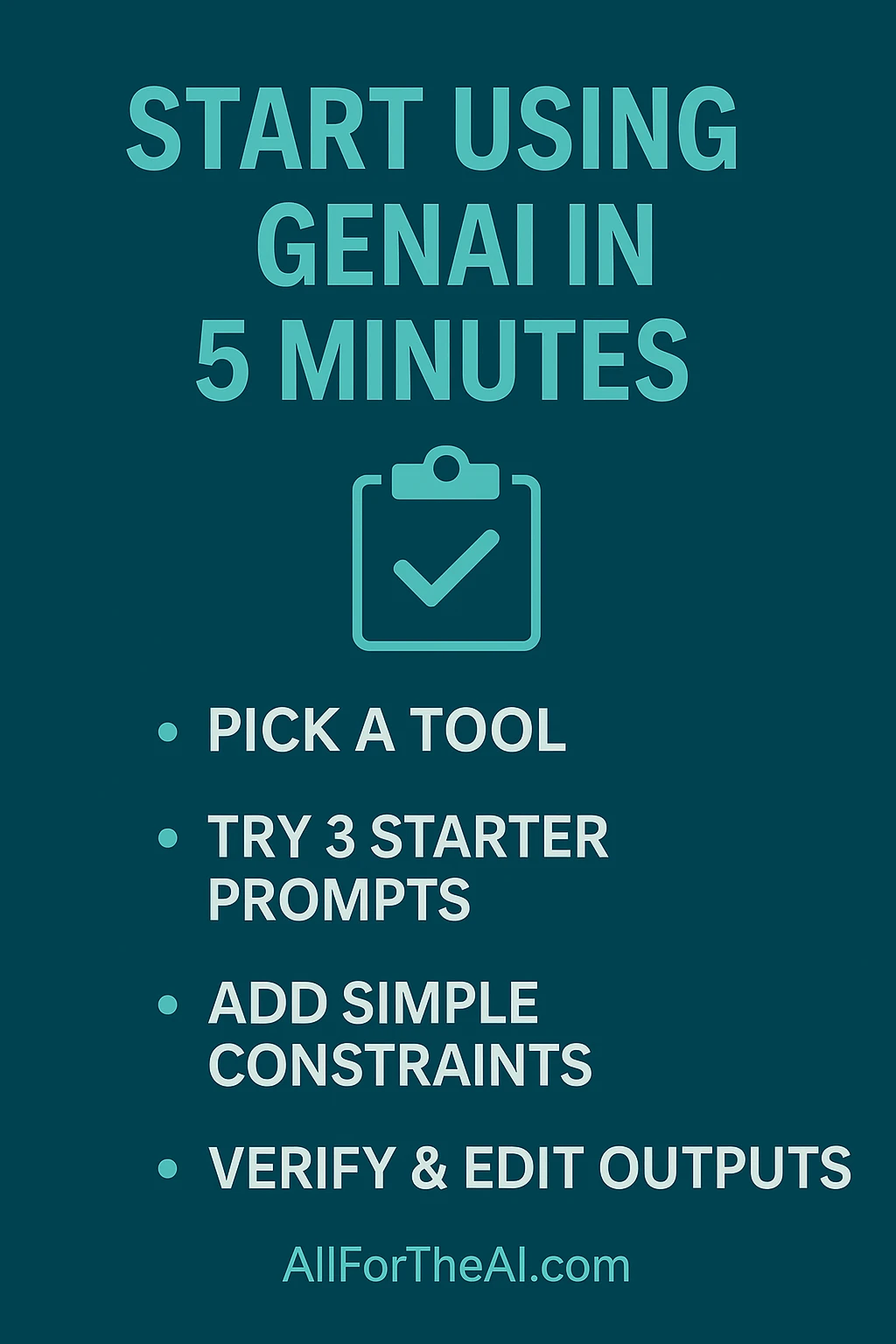
You don’t need to be technical to start. The fastest way to learn is to try a small real task, then adjust your prompts as you go.
Here’s a simple five-minute starter path.
Step 1 — Pick one tool
Good beginner picks:
- ChatGPT
- Gemini
- Claude
Pick one and stick with it for a week.
Step 2 — Try 3 starter prompts
Prompt 1 (explain):
“Explain generative AI like I’m 12 years old. Use simple analogies.”
Prompt 2 (create a draft):
“Write a short, friendly email asking for a meeting next week. Keep it under 120 words.”
Prompt 3 (brainstorm):
“Give me 10 ideas for a beginner blog post about generative AI. Make them catchy.”
Then iterate with tweaks like:
- “make it shorter”
- “more professional”
- “add examples”
- “use bullet points”
Step 3 — Iterate with constraints
Examples:
- “Write this in 5 bullet points.”
- “Use a friendly but confident tone.”
- “Avoid jargon.”
- “Include 2 real-world examples.”
- “Keep it under 200 words.”
Step 4 — Verify outputs (especially facts)
Beginner-safe habit:
- If it gives facts → verify
- If it gives advice → sanity-check
- If it gives code → test it
- If it gives writing → edit it
A tiny beginner prompt pack (save this)
- “Explain ___ in simple terms with an analogy.”
- “Give me 3 examples of ___ in real life.”
- “Rewrite this to sound more clear and friendly: ___”
- “Summarize this in 5 bullet points: ___”
- “Generate 5 variations of this: ___”
- “Ask me 3 questions to improve my prompt.”
FAQ
What’s the difference between generative AI and machine learning?
Machine learning (ML) is the broad idea of computers learning patterns from data.
Generative AI is a type of ML focused on creating new content.
Simple contrast:
- ML predicts or recognizes.
- GenAI creates.
Is generative AI safe to use?
Yes — as long as you use it wisely. It’s great for drafts and ideas, but be careful with private data and high-stakes topics.
Can generative AI replace jobs?
It’s more likely to change jobs than erase them. It replaces tasks first, and rewards people who learn to use it well.
How do I know if generative AI is telling the truth?
You don’t automatically. Verify important facts and treat outputs like a smart draft.
What should I learn next after this guide?
A great path:
- Machine Learning Explained
- Deep Learning 101
- NLP Explained
- Computer Vision Explained
- Prompt Engineering for Beginners
Conclusion
Generative AI is a type of AI that creates new content instead of just analyzing what already exists. It learns patterns from huge datasets, then uses those patterns to generate text, images, audio, video, or code when you give it a prompt.
The big takeaway is simple:
Generative AI is a creation assistant — not a truth machine.
It’s amazing for ideas, drafts, and speed, but it still needs human judgment to stay accurate, ethical, and safe.
If you want to keep building your AI foundation, check out these next:
- Machine Learning Explained: How Computers Actually Learn
- Deep Learning 101: Neural Networks for Beginners
- Computer Vision Explained: How AI Understands Images
You’re already ahead of most beginners just by understanding how GenAI works — now it’s all about practicing with real prompts and using it in the places that matter to you.