
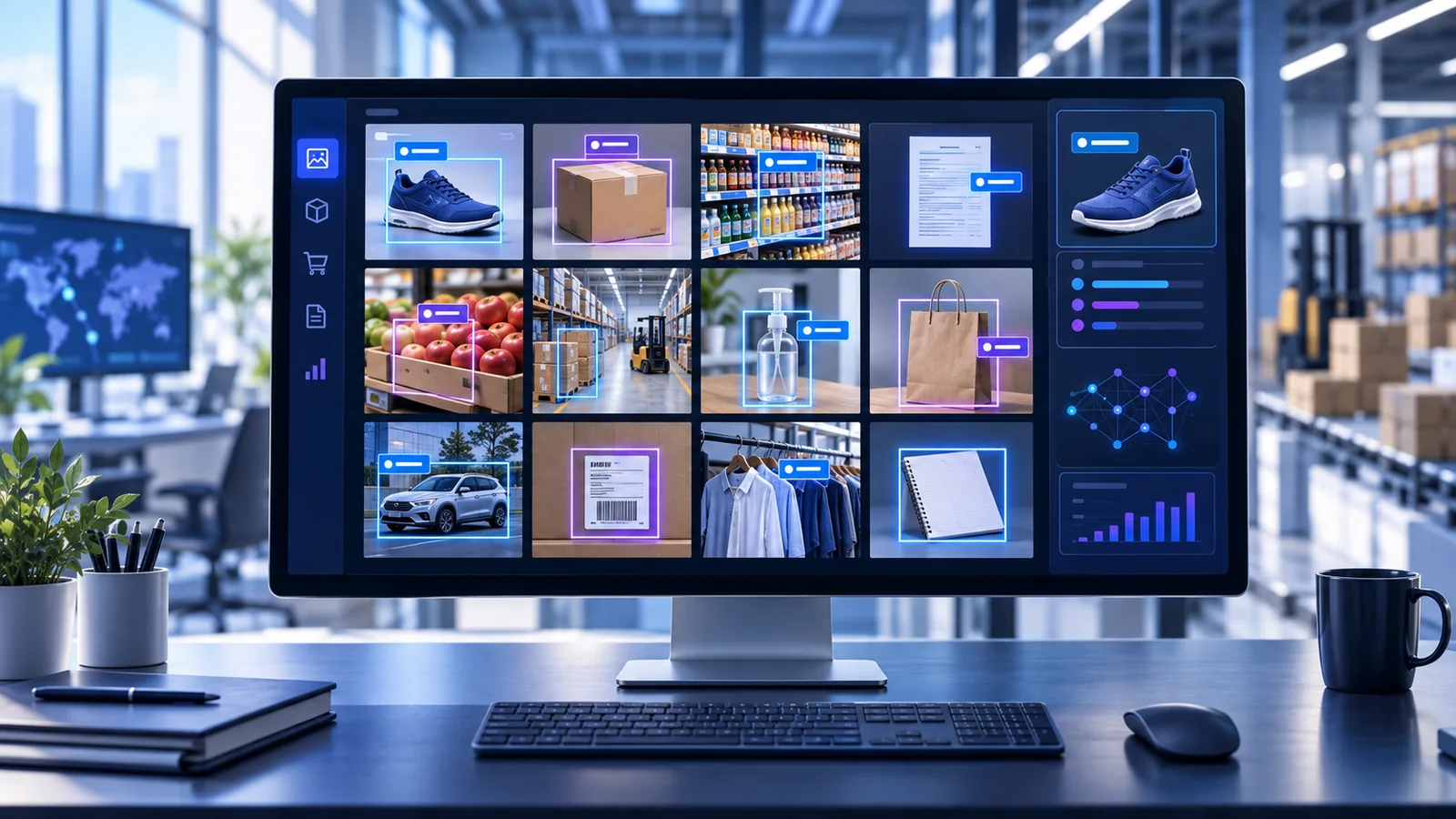
The right image recognition platform depends on what you need to analyze, whether you need a ready-made or custom model, and where your existing systems run. Amazon Rekognition and Google Cloud Vision offer broad, pretrained image-analysis APIs. Clarifai and Roboflow provide more of the model-development and deployment lifecycle. Imagga offers a narrower, image-first route for tagging, search, and content-library workflows.
This guide compares managed platforms that a business can integrate through an API or managed workflow. It does not cover consumer reverse-image search, social-listening tools, or specialized clinical, biometric, shelf-audit, and industrial-inspection products.
Originally published: August 30, 2024 Last reviewed: September 10, 2026 Research basis: Current first-party documentation
How we evaluated these platforms We researched eight managed computer-vision services and selected five that fit this guide’s scope. We reviewed current product, pricing, limits, data-use, security, and lifecycle documentation. This is a documentation-based comparison; we did not independently benchmark model accuracy or latency. Features and prices can change, so verify them before purchasing.
The Best Image Recognition Platforms at a Glance
| Platform | Evaluate it first when… | Core strengths | Pricing structure | Main question to verify |
|---|---|---|---|---|
| Amazon Rekognition | Your images or videos already live in AWS | Labels, objects, OCR, moderation, face APIs, video analysis, custom labels | Per API operation; separate custom-model costs | Have you configured the AI services opt-out and the right regional quotas? |
| Google Cloud Vision API | You want pretrained labeling or OCR with clearly documented data handling | Labels, OCR, object localization, logos, landmarks, SafeSearch, web detection | Per feature applied to an image | Do you need a separate Google product for custom models, documents, or video? |
| Clarifai | You need flexible models, workflows, or deployment options | Classification, detection, segmentation, search, custom/imported models, orchestration | Usage, storage, training, search, or compute depending on configuration | What will the exact model and deployment cost, retain, and process? |
| Imagga | You need packaged image tagging, organization, or visual search | Tagging, categorization, visual search, OCR, moderation, cropping | Monthly request tiers plus enterprise options | Do its plan limits and enterprise data controls meet your requirements? |
| Roboflow | You need to build, train, deploy, and improve a custom vision system | Annotation, datasets, training, evaluation, workflows, cloud and edge deployment | Subscription plus workflow-specific credits | Which plan and deployment keep your data private and secure? |
No platform in this table is “best” for every workload. Use it to choose two or three candidates for the same representative pilot.
How We Chose These Five Platforms
To qualify, a product had to be active, managed, available to new customers, and documented for business integration. It also needed at least three relevant image-analysis capabilities, a public purchasing or sales path, and enough first-party material to investigate data handling and governance.
We considered eight products. Roboflow, Sightengine, and Ximilar were evaluated alongside the five originally researched candidates. Sightengine is better treated as a specialist media-moderation platform. Ximilar remains a credible alternative for custom recognition and visual search. Roboflow advanced to the final five because it offers an active managed custom-vision lifecycle with private paid workspaces and multiple deployment paths.
Azure AI Vision Image Analysis was removed from the shortlist after Microsoft published a retirement plan. Microsoft says the /imageanalysis API—including versions 3.2 and 4.0—will retire on September 25, 2028 and calls will fail afterward. Existing users should follow Microsoft’s Image Analysis migration guide; a new buyer should evaluate the recommended successor that matches the specific task rather than start a long-lived dependency on the retiring API.
We evaluated documented use-case fit, customization, integration, privacy and security evidence, cost clarity, limits, pilotability, and lifecycle confidence. We did not run a cross-vendor accuracy test. Proprietary services use different label taxonomies and defaults, so an unsupported accuracy league table would be misleading.
1. Amazon Rekognition
Evaluate Amazon Rekognition first for an AWS-native image or video workflow.
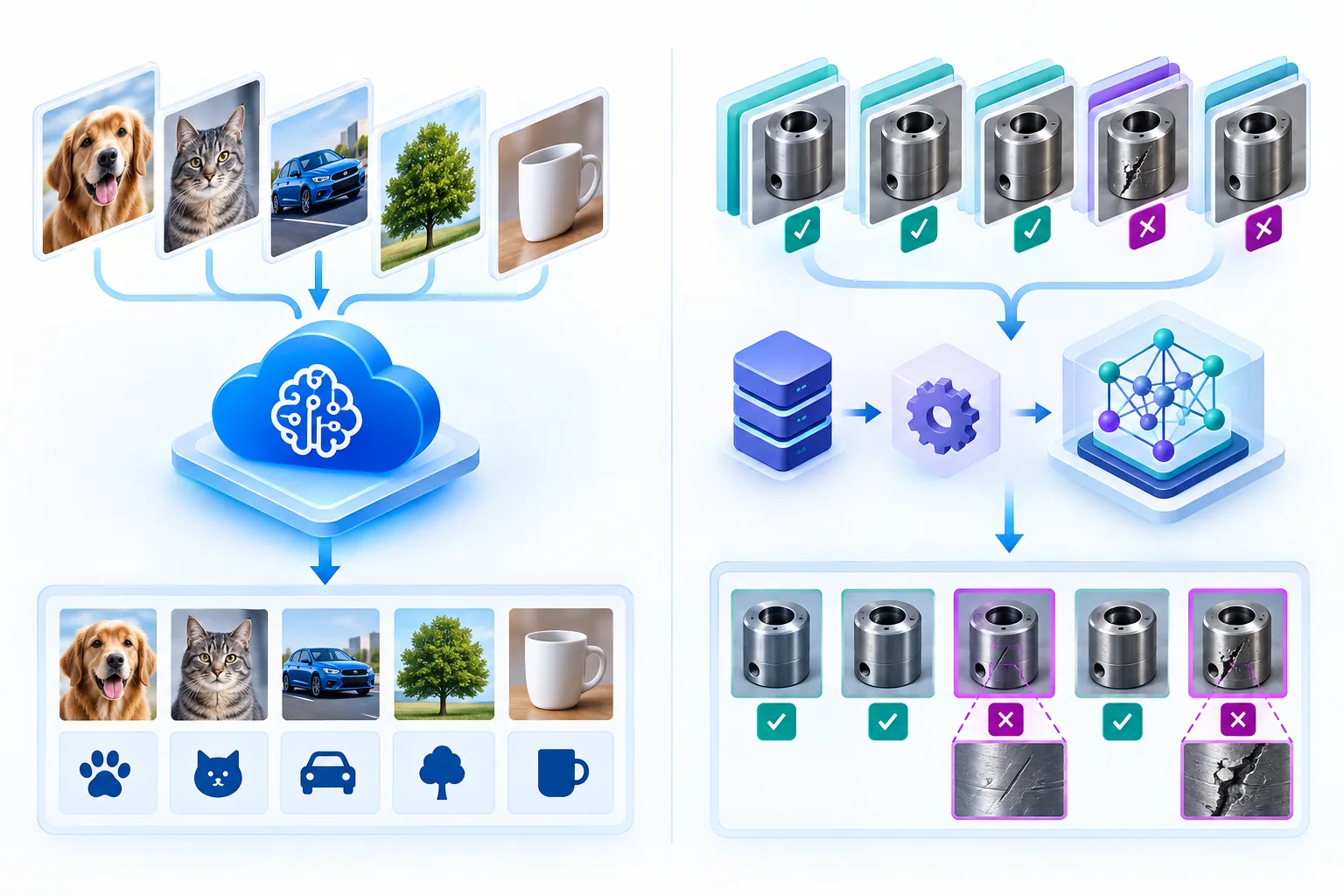
Amazon Rekognition is a managed service for detecting labels, objects, scenes, text, unsafe content, celebrities, and faces in images. It also analyzes stored and streaming video, and its Custom Labels feature supports business-specific classifiers and object detectors.
Where it fits best
Rekognition is easiest to justify when a team already uses Amazon S3, Lambda, IAM, CloudTrail, and AWS regional infrastructure. That ecosystem fit can reduce the number of new systems needed for authentication, storage, event processing, and logging.
It is also one of the broader services here: a team can begin with a pretrained API and move to Custom Labels if generic labels are not specific enough. That flexibility does not mean the custom path is inexpensive or automatic; it has a different operating model.
Pricing and limits
Standard image analysis is billed each time an API analyzes an image. If you run DetectLabels and DetectText on the same image, AWS counts two operations. On the pricing page reviewed September 10, 2026, common Group 2 APIs such as DetectLabels and DetectText cost $0.001 per image for the first one million monthly operations. That makes 100,000 images using both APIs about $200 in direct Rekognition API charges before storage, data transfer, support, or other AWS services. Check the current Rekognition pricing before budgeting.
Custom Labels is different. AWS charges for training and running inference capacity; its published example uses $1 per training hour and $4 per inference hour. A low-volume custom model that must remain running can therefore cost more than a high-volume pretrained API.
For most image operations, raw bytes sent directly to the API are limited to 5 MB and inputs must be JPEG or PNG. DetectText returns up to 100 detected words. Default transaction quotas vary significantly by region: the AWS endpoints and quotas page lists 50 transactions per second for several common image APIs in Northern Virginia, Oregon, and Ireland, but 5 TPS in many other regions. Quotas can often be increased.
Privacy and limitations
The most important procurement detail is easy to miss. AWS states that images and videos passed to Rekognition operations may be stored and used to improve the service unless the customer opts out under the AWS AI services opt-out policy. AWS also documents encryption at rest and in transit, IAM controls, CloudTrail logging, and KMS options. Read the service-specific data-encryption documentation, not only a general AWS security page.
Face detection, face matching, and liveness are different capabilities. None should be deployed for identity, surveillance, employment, healthcare, or another consequential use merely because an API makes it technically possible. Obtain appropriate consent and legal review, test performance across relevant groups, set conservative thresholds, and keep meaningful human oversight.
Bottom line: Shortlist Rekognition when AWS integration and broad image/video features matter. Look elsewhere if you want a cloud-neutral platform, simpler private-data terms by default, or a packaged nontechnical workflow.
2. Google Cloud Vision API
Evaluate Google Cloud Vision first for pretrained labeling and OCR with unusually clear service-specific data-use documentation.
Cloud Vision API provides label detection, text and document-text detection, object localization, landmark and logo detection, image properties, crop hints, SafeSearch, face detection, and web detection. It is designed to add common vision features through REST, RPC, or client libraries.
Where it fits best
Cloud Vision is a strong starting point when a team needs standard labeling or OCR rather than a full custom-model development environment. It also fits naturally with Google Cloud authentication, IAM, and Cloud Storage.
Be precise about product boundaries. Document AI handles richer document workflows; Video Intelligence covers video; custom-model options live elsewhere in Google’s portfolio. Web Detection can find web-related image information, but it is not the same as building a private visual-search catalog.
Pricing and limits
Google charges per feature applied to each image. On the pricing page reviewed September 10, 2026, the first 1,000 monthly units of many features are free. Label Detection and Text Detection are then $1.50 per 1,000 units through five million units. Object Localization is $2.25 per 1,000 and Web Detection is $3.50 per 1,000 in the same volume band.
For example, processing 100,000 images with both Label Detection and Text Detection would cost about $297 after the two 1,000-unit free allowances, excluding storage and other Google Cloud services. This is a scenario estimate, not a quote.
The API accepts image files up to 20 MB, but JSON request objects are limited to 10 MB and base64 encoding increases size. Synchronous annotate requests can contain up to 16 images; asynchronous image requests can contain up to 2,000. Review the current Vision quotas and limits for the project and request type you plan to use.
Privacy and limitations
Google’s Vision API data-usage FAQ states that customer images and labels are used only to provide the service and are not used to train or improve Cloud Vision. For synchronous operations, Google says image data is processed in memory and not persisted to disk. Asynchronous operations temporarily store images and typically delete them when processing finishes, with a failsafe time to live of a few hours. Request metadata may be logged temporarily.
That distinction is valuable, but it is not a substitute for the buyer’s own access controls, retention rules, data-minimization process, and legal review. Also note that face detection is not identity recognition.
Bottom line: Shortlist Cloud Vision for straightforward pretrained labeling, OCR, and related features—especially when data-use clarity or Google Cloud integration matters. Look elsewhere if custom model training and a complete model lifecycle are central requirements.
3. Clarifai
Evaluate Clarifai first when model choice and deployment flexibility matter more than a minimal single-purpose API.
Clarifai supports image classification, object detection, segmentation, search, model training, imported models, workflows, and managed inference. Its current compute documentation describes deployment across several cloud providers and on-premises environments, with autoscaling and dedicated infrastructure options.
Where it fits best
Clarifai is aimed at teams that expect to move beyond a fixed pretrained endpoint. It can make sense when a business needs custom labels, its own model, a multi-step visual workflow, or more control over where inference runs.
That breadth is also the main tradeoff. “Clarifai” is not one uniform image API with one price. The actual model, storage, search, training, and deployment configuration determine both capability and cost.
Pricing and limits
Current documentation separates prediction, training, search, stored inputs, and compute costs. Dedicated deployments are priced according to the selected infrastructure and running time. Clarifai’s cost and budget tools help account owners monitor those categories.
The reviewed rate-limit documentation lists a default 15 requests per second and directs customers to request a custom limit when needed. Because current cost depends on the chosen model and deployment, this guide does not publish a per-image estimate from an older PDF. Build the intended workflow in the current pricing/configuration interface and obtain a quote for predictable production use.
Privacy and limitations
Clarifai’s deployment flexibility may help a team meet location, isolation, or latency requirements, but the details are configuration-specific. Before shortlisting it for sensitive data, confirm in current documentation and contract:
- whether inputs or outputs are retained or used for model improvement;
- the processing region and any cross-border transfers;
- encryption and customer-managed key options;
- access control and audit logs;
- deletion timing;
- service-level commitments;
- how the chosen shared, dedicated, or self-managed deployment changes those answers.
Missing public detail is a procurement question—not proof that a control is absent.
Bottom line: Shortlist Clarifai when custom or imported models and flexible deployment are central to the project. A simpler pretrained API may be easier to estimate and operate when the task is only generic labels or OCR.
4. Imagga
Evaluate Imagga first for packaged image tagging, organization, and visual-search workflows.
Imagga is an image-focused service offering tagging, categorization, visual search, color extraction, OCR, moderation, cropping, face-related functions, and custom models across different plans. Its practical emphasis on image libraries, marketplaces, and digital asset management distinguishes it from the large cloud suites.
Where it fits best
Imagga can suit a smaller team that wants a narrower API and visible monthly request packages. Tagging and categorization can help organize media; visual search can support product discovery or similar-image retrieval; cropping and color extraction address common content operations.
Feature availability varies by plan, so evaluate the actual bundle instead of assuming every endpoint is included.
Pricing and limits
On the Imagga pricing page reviewed September 10, 2026:
- the Free plan includes 100 monthly requests for listed basic features;
- Indie costs $79 per month for 70,000 requests and adds features including visual search and OCR;
- Pro costs $349 per month for 300,000 requests and includes additional higher-tier features;
- Enterprise pricing is custom.
Two endpoints applied to 100,000 images can consume roughly 200,000 requests, so counting images alone can understate the required plan. Confirm overage terms, feature availability, concurrency, and support before choosing a tier.
Imagga’s API documentation says uploaded files remain available for 24 hours and are then deleted automatically; customers can issue a delete request earlier. The API exposes plan usage and concurrency information and may return HTTP 429 when the concurrency limit is reached.
Privacy and limitations
The public evidence reviewed here did not fully establish processing locations, encryption details, customer-content training use, exact plan-level concurrency, or enterprise SLA terms. Ask Imagga to document those points when images are confidential, personal, regulated, or commercially sensitive.
Imagga also warns in its own API guidance that automated tagging can return irrelevant tags. Treat confidence scores as thresholds to tune on representative data—not guarantees of correctness.
Bottom line: Shortlist Imagga for an image-first tagging, search, or content-organization project with a relatively simple packaged plan. Compare more infrastructure-oriented platforms if you need extensive regional, governance, or custom deployment controls.
5. Roboflow
Evaluate Roboflow first when the project requires the full custom computer-vision lifecycle.
Roboflow combines dataset management, annotation, preprocessing, augmentation, training, evaluation, workflows, hosted inference, batch processing, monitoring, and cloud or edge deployment. It is less like a fixed recognition endpoint and more like an environment for creating and improving a visual system.
Where it fits best
Roboflow is most relevant when a business needs to recognize its own products, defects, equipment, or operational states and expects to retrain the model as new examples appear. Its workflow and deployment options can support cloud APIs, dedicated deployments, edge devices, and self-hosted inference.
If all you need is generic OCR or image labels, this breadth may add unnecessary setup.
Pricing and limits
The Roboflow pricing page reviewed September 10, 2026 lists:
- a free Public plan where datasets and models are public;
- Core at $79 per month when billed annually or $99 month to month, with private data/models and included credits;
- custom Enterprise plans with additional governance, support, monitoring, and deployment features.
Credits are consumed differently by storage, labeling, training, model inference, and workflows. That makes a flat “price per image” misleading without defining the exact pipeline. Use Roboflow’s current credit schedule and a representative workflow to estimate cost.
Do not upload confidential business images to the Public plan. The plan explicitly makes data and models public.
Privacy and limitations
Roboflow’s Trust Center describes encryption and provides access to security and compliance materials. Its pricing page lists enterprise controls including SSO, scoped API keys, usage logs, custom roles, folder permissions, and SIEM exports. The privacy policy says data may be processed inside and outside the United States and may remain while an account is in active use, with possible delays before deleted copies disappear from backups.
Deployment mode changes the security model. Roboflow’s self-hosted inference security guide warns that a local server does not enforce authentication, encryption, or network restrictions by default. The deploying organization must add those controls before exposing it to an untrusted network.
Bottom line: Shortlist Roboflow when the team must label data, train a custom model, deploy it, and improve it over time. Choose a simpler managed API when generic pretrained features are sufficient.
Which Image Recognition Platform Should You Choose?
Start with the job and operating environment:
- Your images and events already run through AWS: Evaluate Amazon Rekognition first, then compare its data-use settings and custom-model economics with one independent platform.
- You need pretrained labels or OCR: Evaluate Google Cloud Vision first, then compare feature coverage and total request cost with Rekognition or Imagga.
- You need custom or imported models with deployment flexibility: Evaluate Clarifai first and compare it with Roboflow using the same deployment requirements.
- You need image-library tagging, visual search, or content operations: Evaluate Imagga first and compare its plan limits with Google or Clarifai.
- You need to create and continually improve a custom visual system: Evaluate Roboflow first and compare its model lifecycle, privacy tier, and deployment security with Clarifai.
- Moderation is the primary task: Add a specialist such as Sightengine to the pilot rather than assuming a general platform is the best fit.
- You currently use Azure Image Analysis: Plan a migration using Microsoft’s guidance; do not treat the retiring API as a long-term default.
Ecosystem convenience is useful, but it should not override task performance, data handling, lifecycle, or total cost.
How to Pilot Image Recognition Software
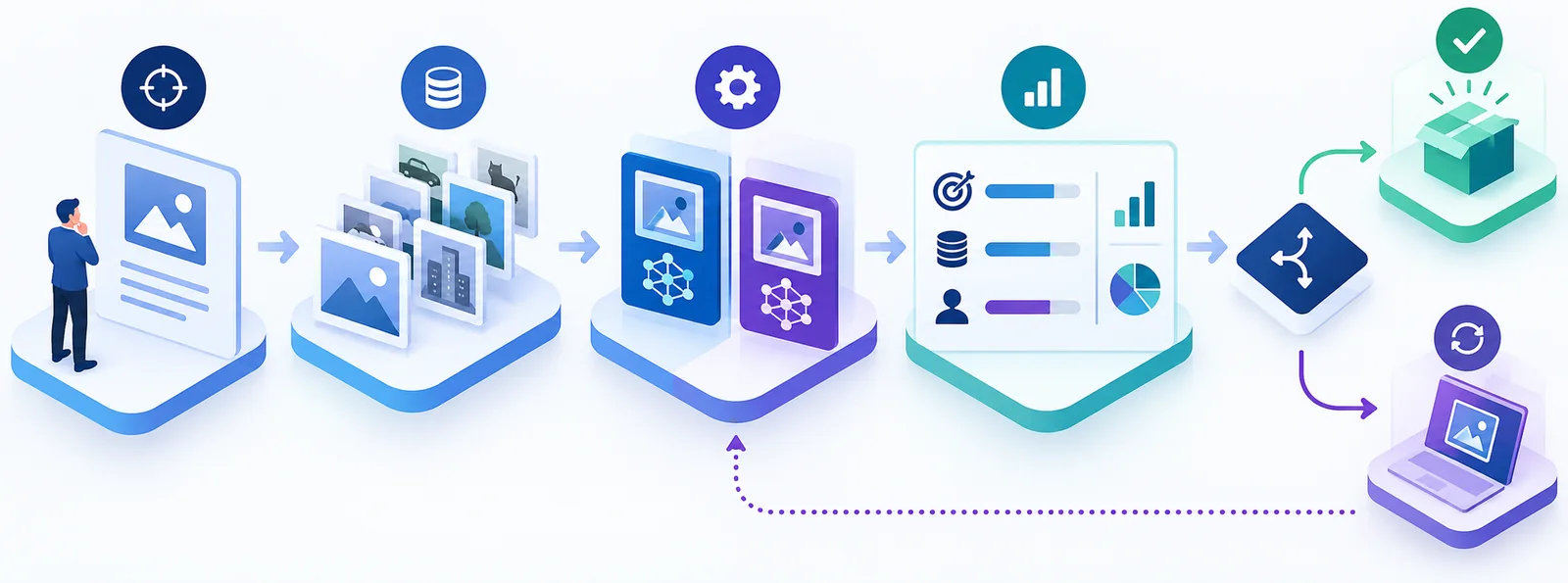
Define one narrow task
Use a measurable statement such as “extract the SKU and quantity from our warehouse labels” or “find these six known defect classes.” Avoid a goal as broad as “use AI on our images.”
Build a representative test set
Use rights-cleared images from the real operating environment. Include common cases, difficult lighting, blur, occlusion, unusual angles, negative examples, and the mistakes that would cost the business most. Keep a held-out set that was not used to configure or train the system.
Do not casually upload biometric, medical, customer, or confidential images to trial accounts. Confirm the account tier, retention, processing location, and training-data policy first.
Choose the right metrics
Use precision and recall for classification or detection, word or character error rate for OCR, and task-specific localization measures when bounding boxes matter. Also record:
- false-positive and false-negative cost;
- median and worst-case response time;
- failed requests;
- percentage requiring human review;
- direct service cost per processed item;
- setup, integration, monitoring, and retraining effort.
Vendor accuracy percentages are rarely comparable unless the products were tested on the same images, labels, thresholds, and task.
Set go/no-go thresholds before testing
Decide what the pilot must achieve before anyone sees the results. Include performance, budget, privacy, security, and workflow requirements. A model that looks impressive in a demo but creates too many costly errors or manual reviews has not passed.
Privacy, Security, and Responsible Use
Do not evaluate privacy from a homepage badge. Check the documentation and contract for the exact operation, account tier, region, and deployment you plan to use.
At minimum, verify:
- whether inputs or outputs can be used to train provider models;
- how long synchronous, asynchronous, uploaded, training, and log data are retained;
- where processing occurs;
- encryption and key-management options;
- IAM, scoped credentials, roles, and audit logging;
- deletion and export paths;
- subprocessors and cross-border transfers;
- restrictions for faces, biometrics, surveillance, or other sensitive uses;
- the human-review process for consequential decisions.
A vendor’s inclusion in a compliance program does not automatically make your implementation compliant. Configuration, data selection, notices, consent, access controls, monitoring, and human decision-making remain your responsibility.
Frequently Asked Questions
What is the difference between image recognition and computer vision?
Computer vision is the broader field of helping machines interpret images and video. Image recognition usually refers to identifying or classifying what appears in an image. Object detection adds location, segmentation identifies pixels, and OCR extracts text. See Computer Vision Explained for the full beginner explanation.
Can a business use image recognition without developers?
Some platforms provide demos, visual workflow builders, or no-code training tools, but production integration usually needs technical help. A developer or implementation partner must handle authentication, data flow, error handling, monitoring, privacy controls, and the connection to the business process.
How much does image recognition software cost?
There is no reliable universal range. Some services charge for each feature applied to each image. Others sell request bundles, training and inference hours, or credits covering several workflow steps. Estimate the exact number of images, operations per image, storage, training, always-on compute, data transfer, support, and human review.
Can I use it with personal or sensitive images?
Technical availability does not establish legal or ethical permission. Minimize the data, obtain necessary consent, verify retention and provider training use, restrict access, test for harmful errors, and seek qualified legal or privacy review for the relevant jurisdiction and use case.
How should I compare accuracy?
Test every candidate on the same representative images and use task-appropriate metrics. Keep thresholds and preprocessing consistent, document model or API versions, and measure the errors that matter to the business. Do not rely on unrelated vendor benchmark percentages.
Start With a Small, Measurable Pilot
Choose two or three candidates that fit your scenario. Run the same rights-cleared images through each, compare errors, human-review burden, implementation work, data handling, and total cost, and scale only when the predetermined go/no-go criteria are met.
The right first step is not buying the platform with the longest feature list. It is defining one visual decision your business needs to make reliably.